To configure a connection to Azure OpenAI you need:
- An active and configured Azure subscription
- A configured Azure Resource Group on the subscription
- Access permission to create OpenAI resources and to deploy models
This guide is based on the Microsoft guide to setting up an AI service.
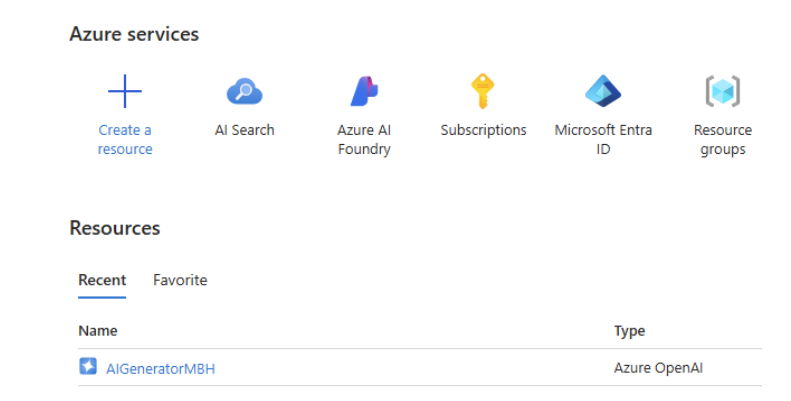
Create a new resource
- Create a resource
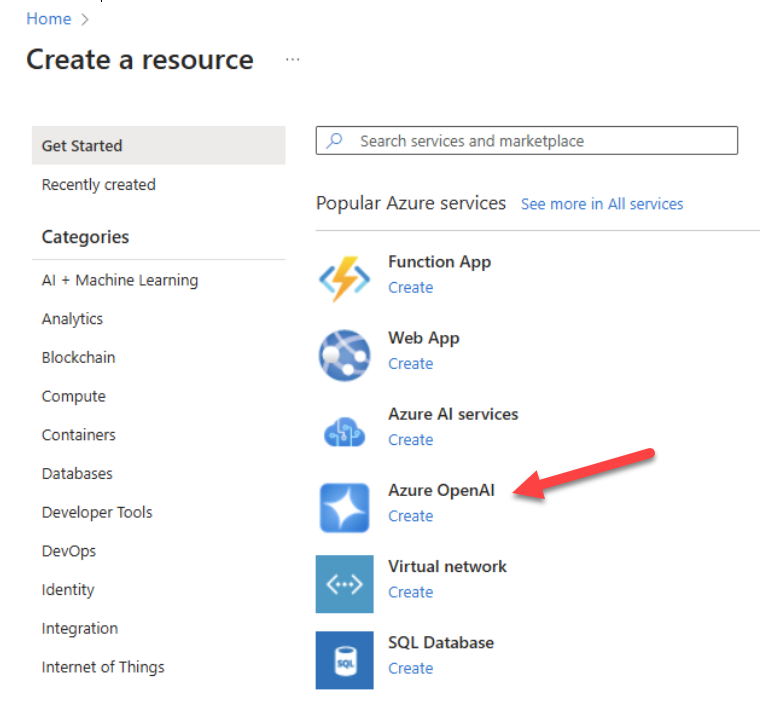
- Choose Azure OpenAI
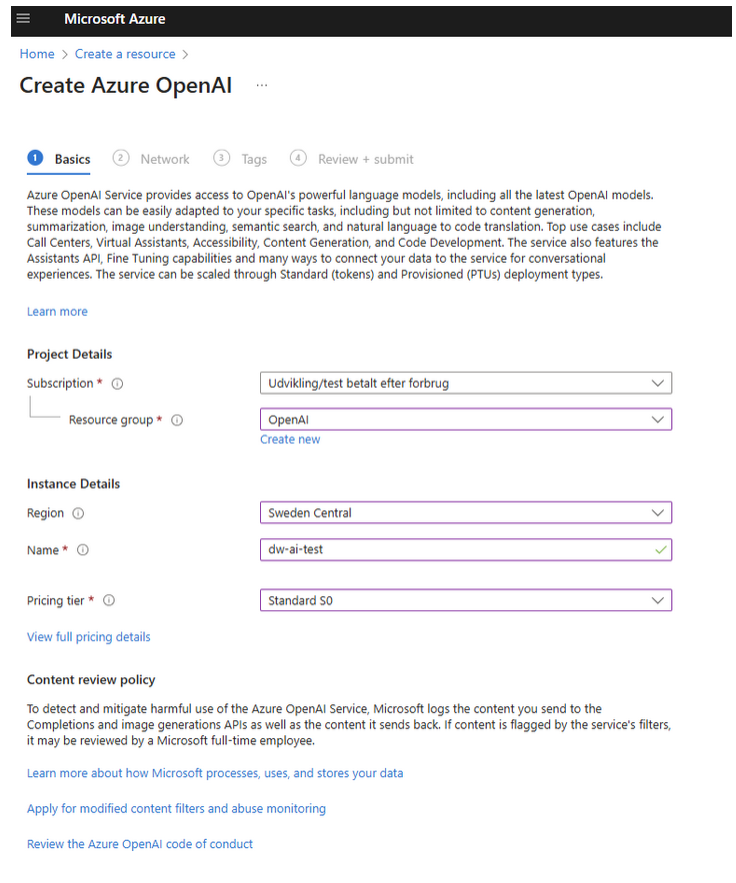
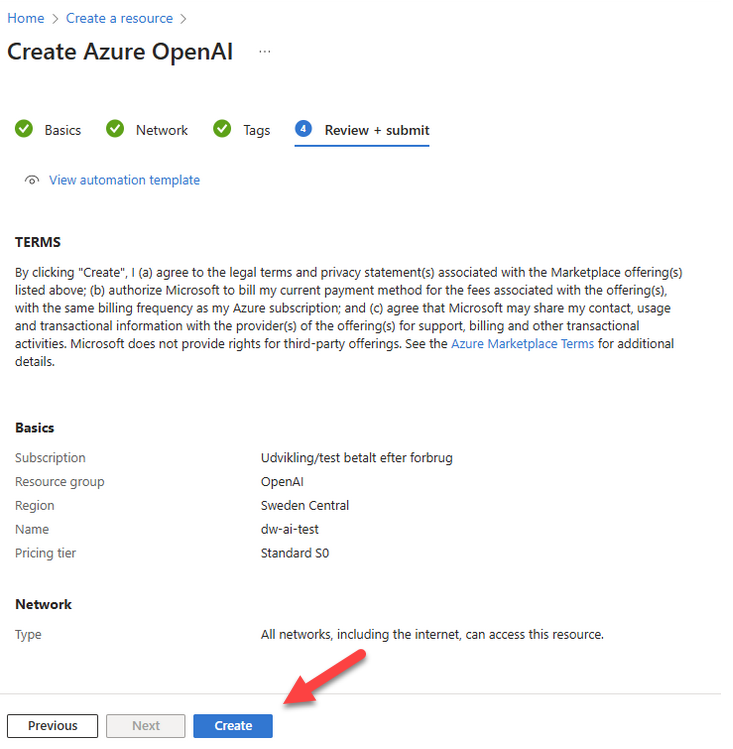
- Set up the Basics
- Set up the network - use
All networks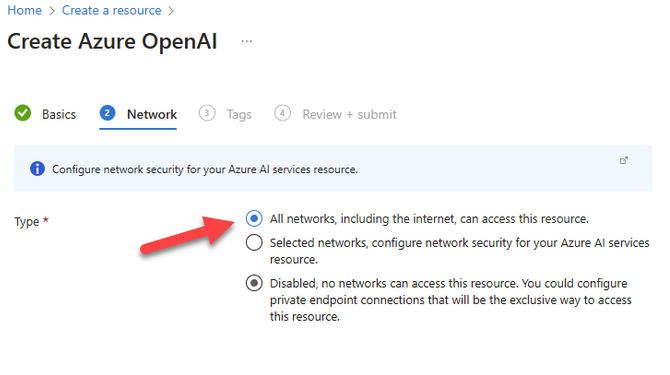
- Skip the Tags-section
- Confirm the configuration
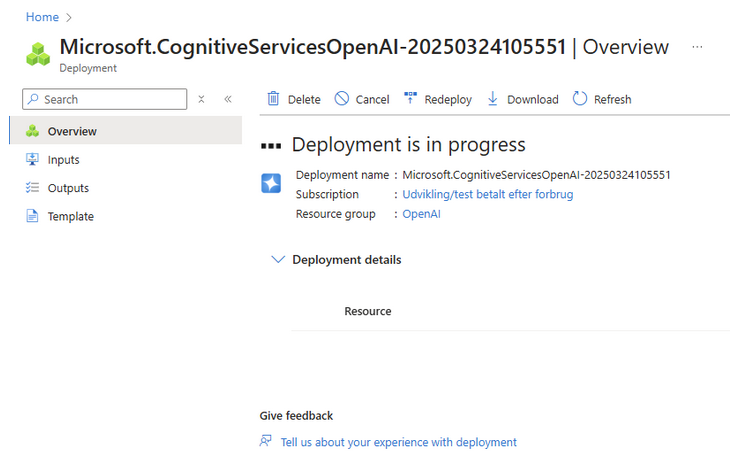
- Await deployment
Deploy an AI model
- Once the model has been completed click
Go to resource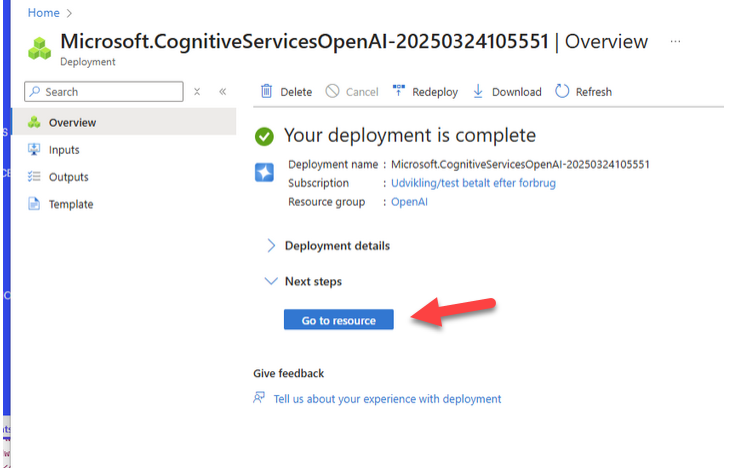
- Deploy an AI-model to the service - click
Go to Azure AI Foundry Portal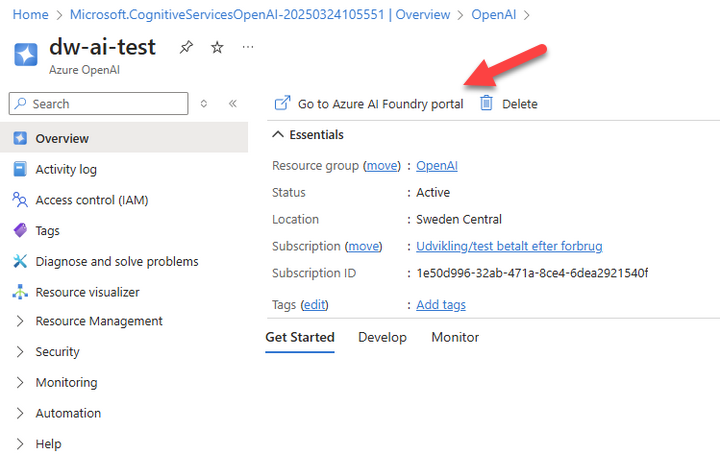
- On the Chat playground interface select
Create new deployment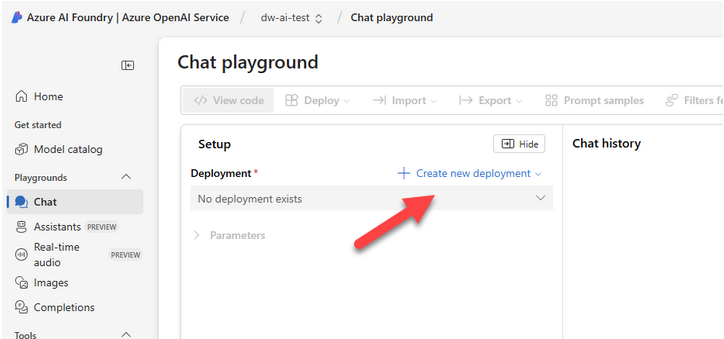
- Select a model - e.g. gpt-40-mini
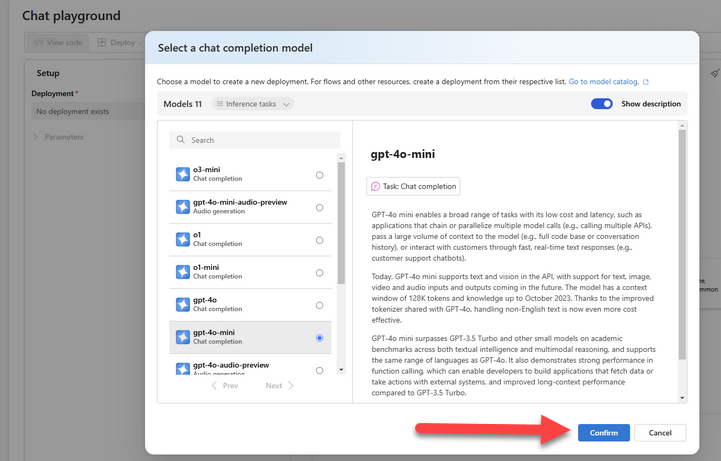
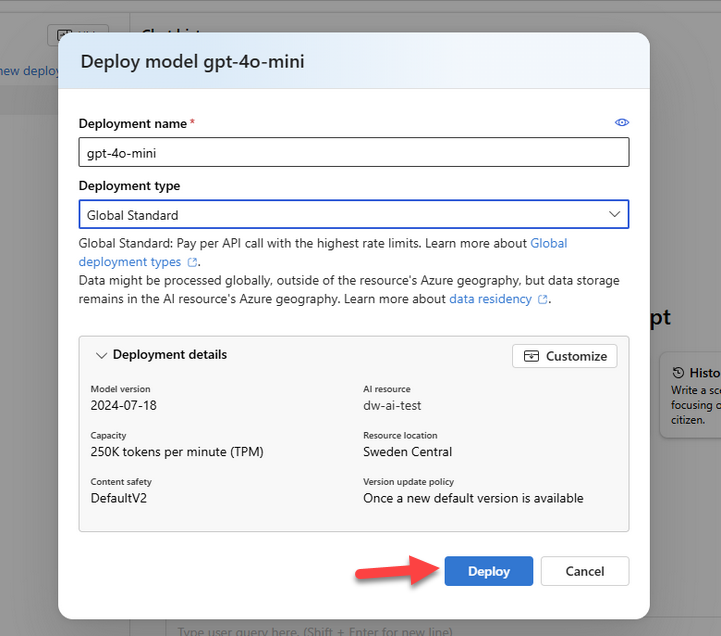
- Deploy the model
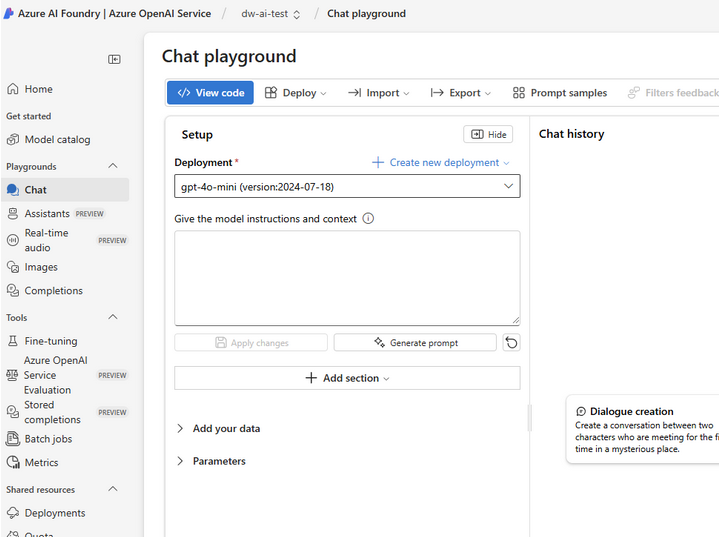
After the model has been deployed you should see this screen:
Copy API keys
Open the Azure AI portal to fetch the API keys:
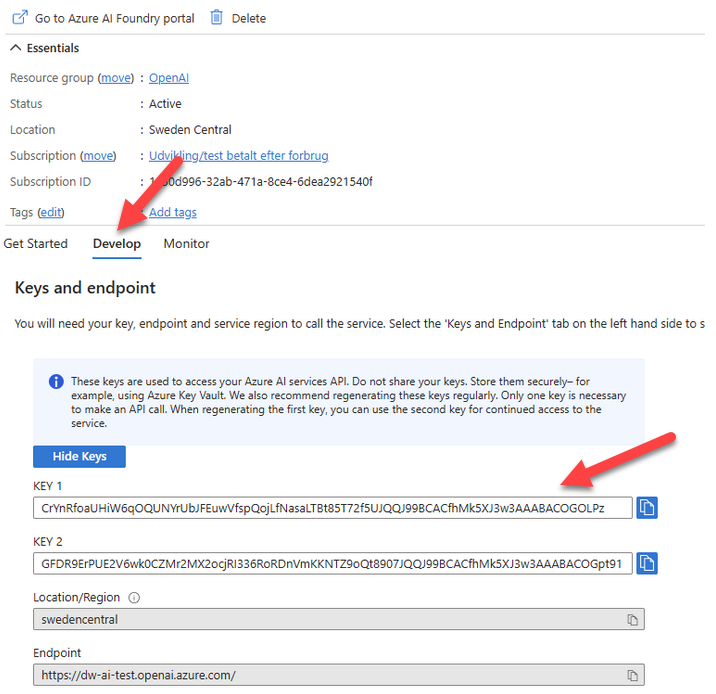
- Select the 'Develop'-tab
- Copy either one of KEY 1 or KEY 2 and use it