Google Tag Manager is a tag management system that simplifies adding and managing tracking codes without modifying website code. It can integrate analytics, conversion tracking, and marketing tags efficiently and is often used in combination with Google Analytics but is compatible with different services. Google Tag Manager can improve data collection and enhance marketing performance while reducing developer dependency.
Learn more about Google Tag Manager here.
Google Tag Manager in Swift
To get started with Google Tag Manager follow this guide to create an account and container.
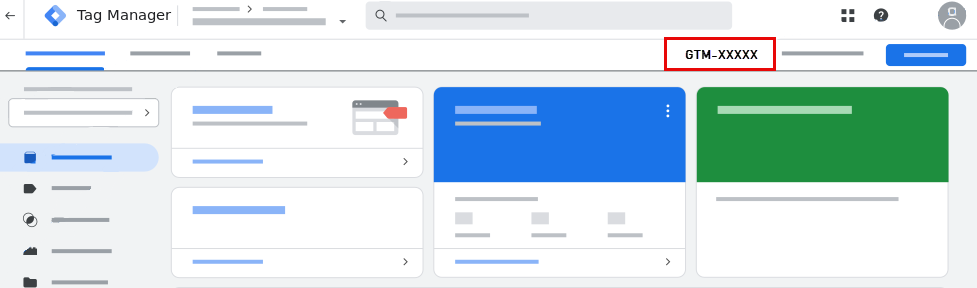
To use Google Tag Manager on your Swift website have your Google Tag Manager ID (also called Container ID) ready. To find the ID:
- Log in to your Google Tag Manager account
- Open a container
- In the top right corner you will see a text starting with
GTM-containing some letters/numbers - that is your Google Tag Manager ID:
To use Google Tag Manager on Swift:
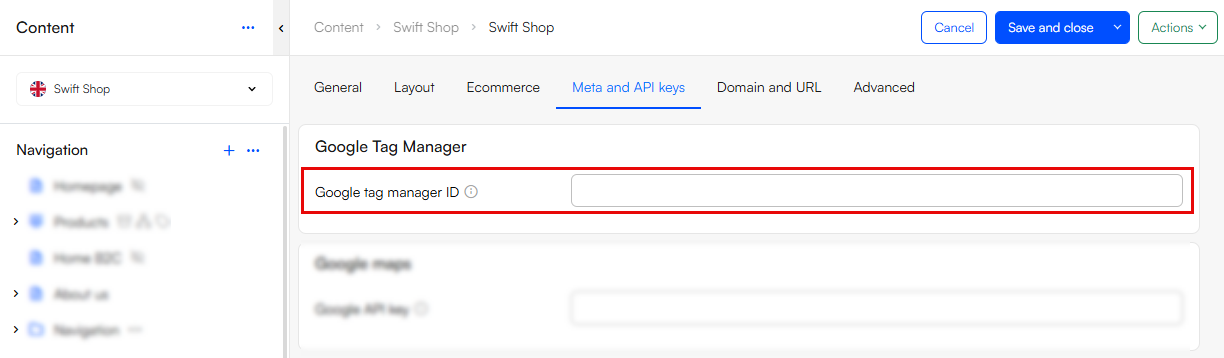
- Go to the Website settings of your site
- Select the Meta and API keys tab
- Fill out the field Google tag manager ID:
Google Tag Manager and Google Analytics
While Google Tag Manager is a tag management system for adding and editing tracking codes, Google Analytics is an analytics tool for tracking and analyzing how users interact with your website. To use the two together, we refer to Google's own documentation.