The Dashboard section in the customer center serves as the homepage for the customer center. This page should be personalized to contain whatever is appropriate for your website. The dashboard page can be found in Content > Navigation > Utilities > My account > Dashboard
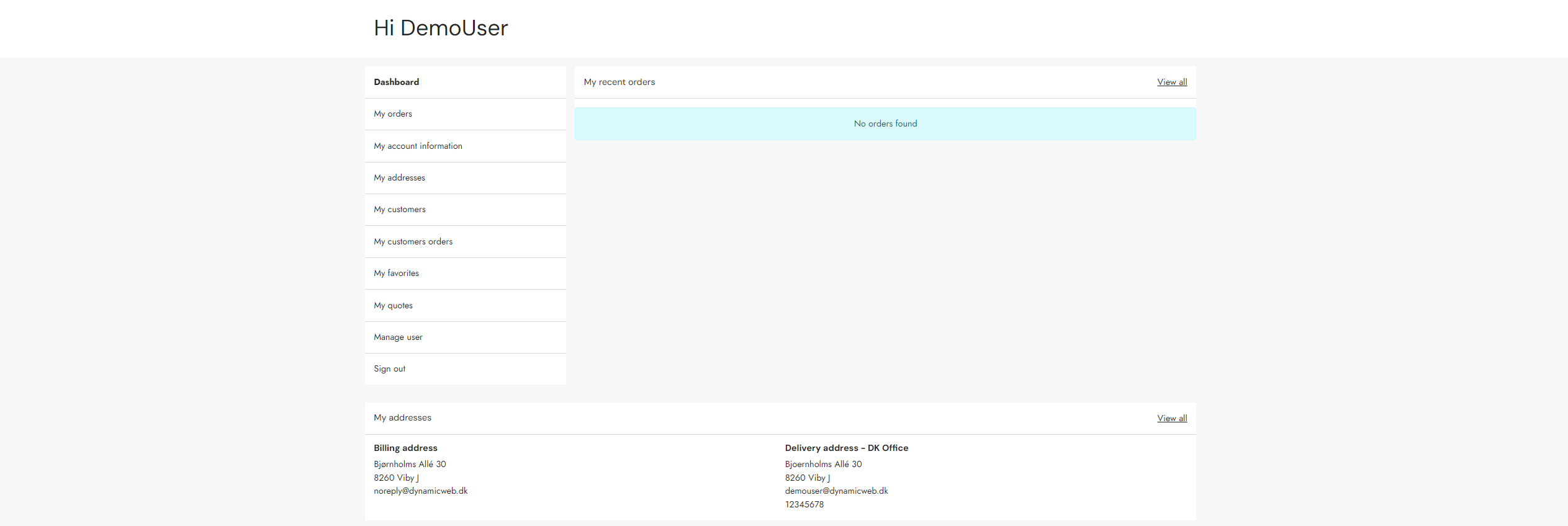
The Dashboard page in a Swift based solution includes a hello user item for personalization, a vertical navigation settings, showing the other pages in the customer center. It features a "Customer Center app" item displaying recent orders, and below it, another "Customer Center app" item showing billing and delivery addresses.
The Dashboard page also includes a navigation tag, "MyAccountDashboardPage", which can be used in the backend if necessary. In a standard solution, this tag is not assigned to any specific function.
If you're interested in the manual setup of any of the items on the dashboard site, see the other pages in the Customer center articles.