The CartSummary page is used to make a data available for the off-canvas mini-cart and express-buy feature.
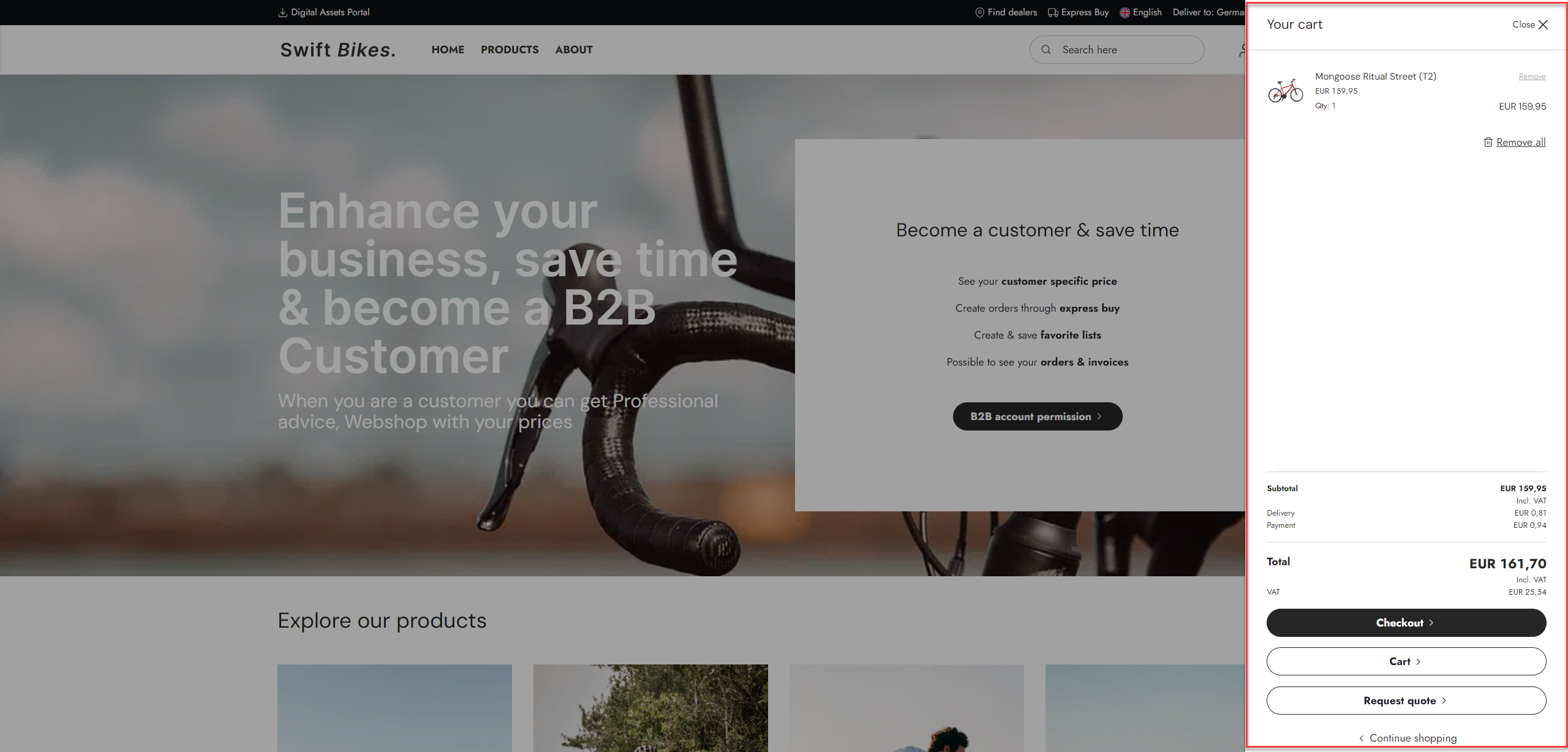
The CartSummary service page is usually a standard feature with Swift, and there isn't really that much customization to do. It is basically just a service page that is used when rendering the products in the cart when the user clicks on the cart or adds a new product to the cart.
For detailed instructions on manually building the CartSummary service page, read the following manual setup guide.
Manual setup
Depending on you solution, you need to have some of these pages before you can continue with this setup guide:
- Cart page
- Checkout anonymous page
- Checkout signed in page link
- Quote checkout page link
- In the Content area, go to Swift tools > Services
- Add a new Cart Summary page to the Services folder
- Provide the page with the title "CartSummary"
- In the Offcanvas minicart link section, provide the page with the necessary links
- In the Layout tab, select the Swift_CartSummary.cshtml template
- In the Publication tab, set publication to "Hidden in menu" and uncheck all fields but "Clickable"
- In the Advanced tab, add "CartSummary" to the navigation tag field
- Save and close
Your CartSummary service page is finished and the off-canvas mini-cart should work. Ensure you've activated the "offcanvas minicart" function in the website settings, otherwise it won't show up.