GitHub is a developer platform which allows developers to create, store, manage and share code. The GitHub login provider allows you to set up a connection to GitHub and log users into the backend or frontend of a DynamicWeb 10 solution using their github account credentials.
To set up authentication via GitHub you need to:
- Create an OAuth app on your GitHub account
- Create a login provider in DynamicWeb
- If used for frontend login, modify login templates to show login button
Read on to learn more.
Note
Please note, that only GitHub accounts with a public email address available will be able to login. This is because GitHub have chosen only to make public emails available via their API, and not something we can do anything about.
Create a GitHub OAuth-app
In order to obtain the Client ID and Client secret credentials, you need to register a new OAuth application in your GitHub developer settings, as described in the github documentation.
Here is an example:
- Log in to your github account, then click your profile picture and select Settings
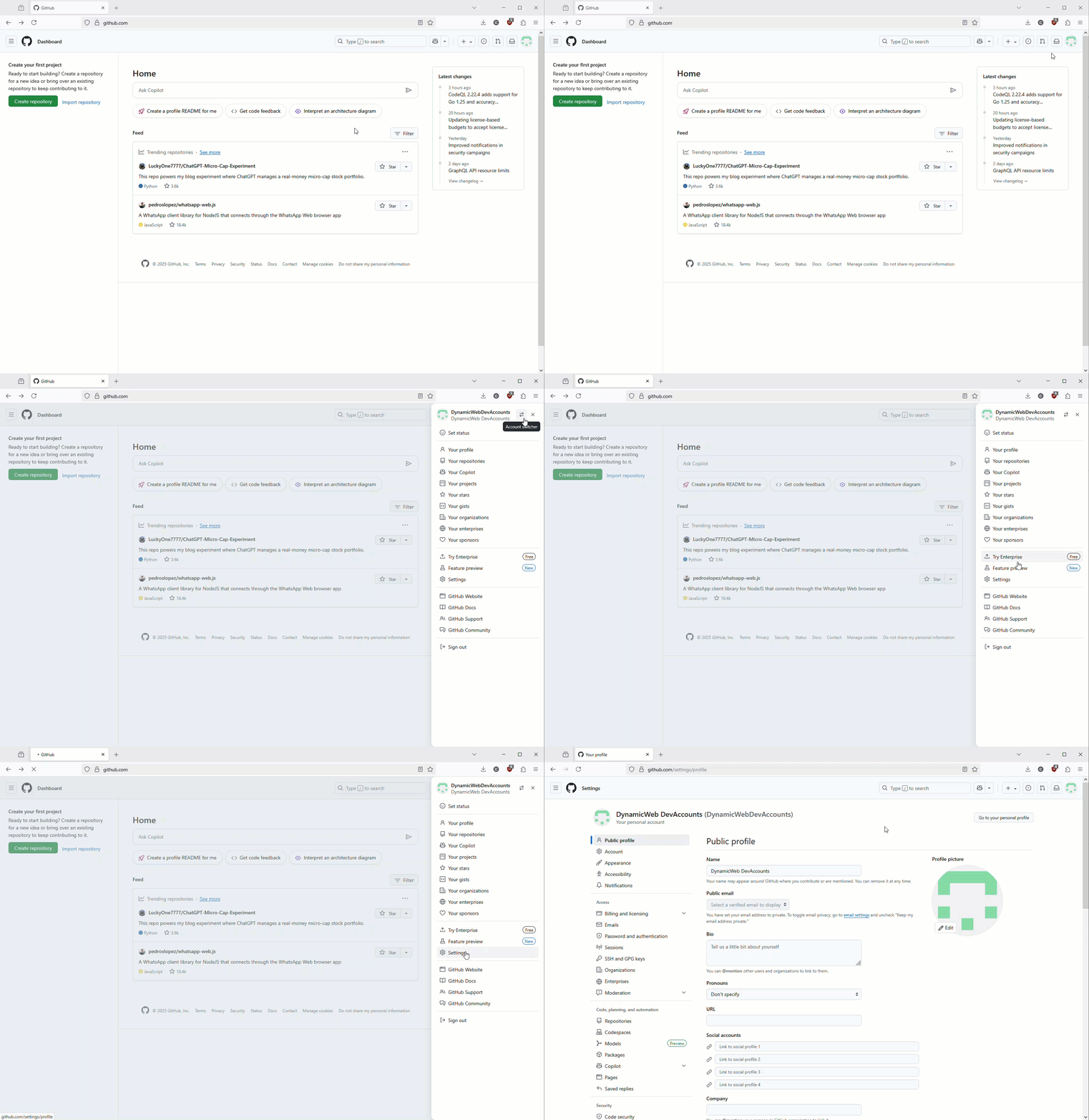
- In left sidebar click
<> Developer settings, thenOAuth apps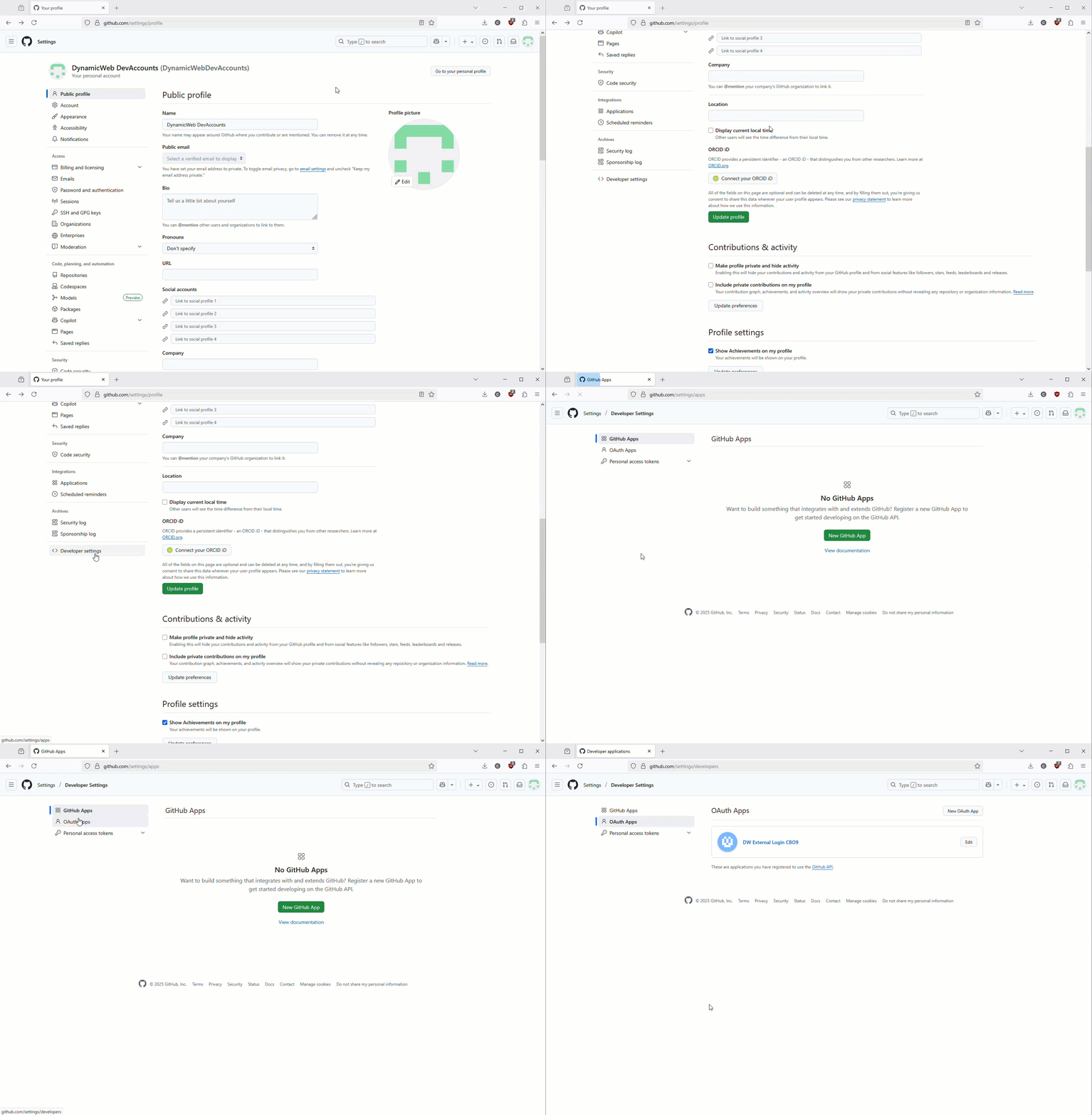
- Click
New OAuth Appand fill in the details before clickingRegister- An application name, e.g.
My Page External Login - A Homepage URL, e.g.
https://yoursite.com/ - A Callback URL, e.g.
https://yoursite.com/signin-github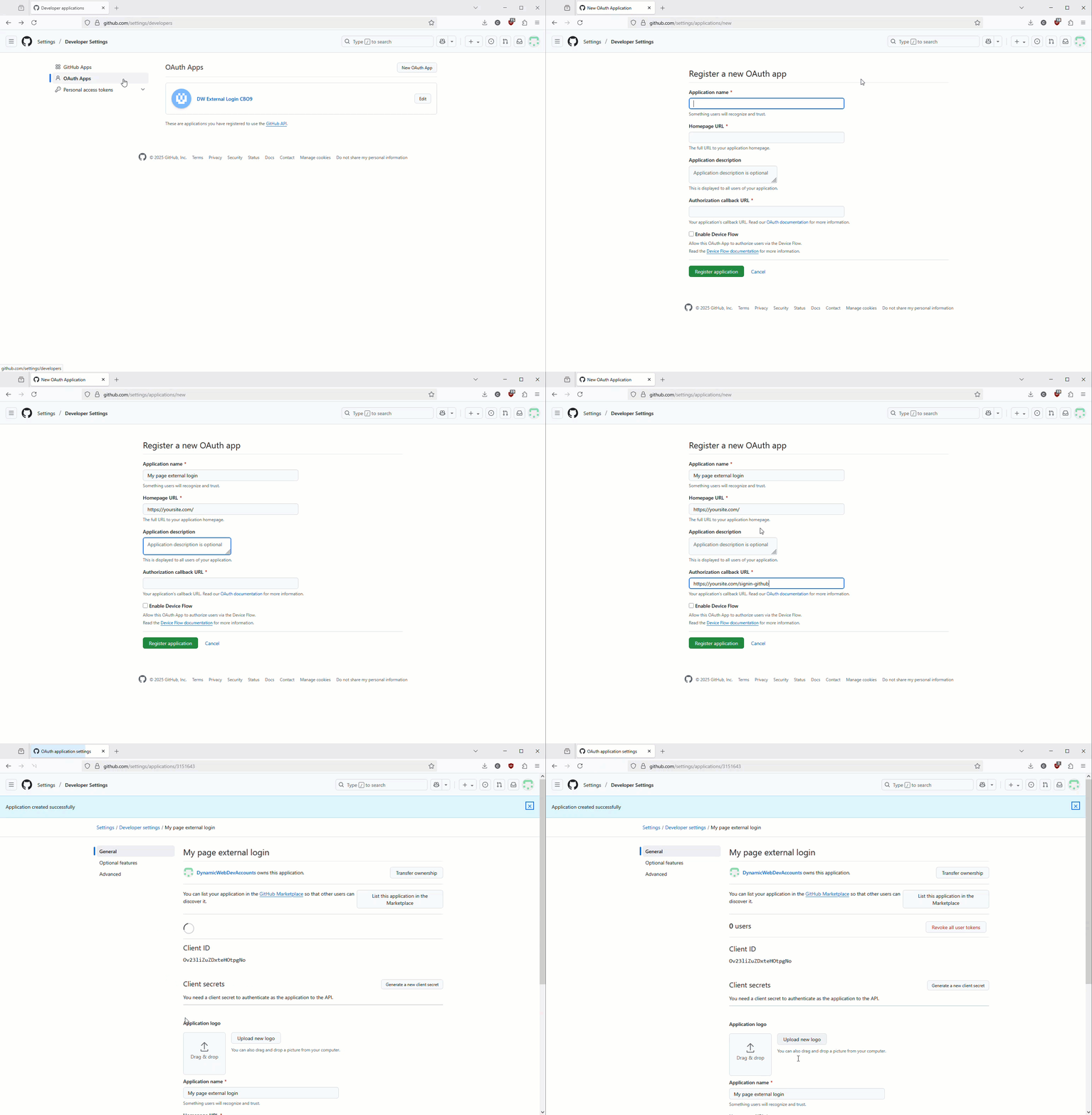
- An application name, e.g.
- Write down the ClientID and generate and write down a Client secret
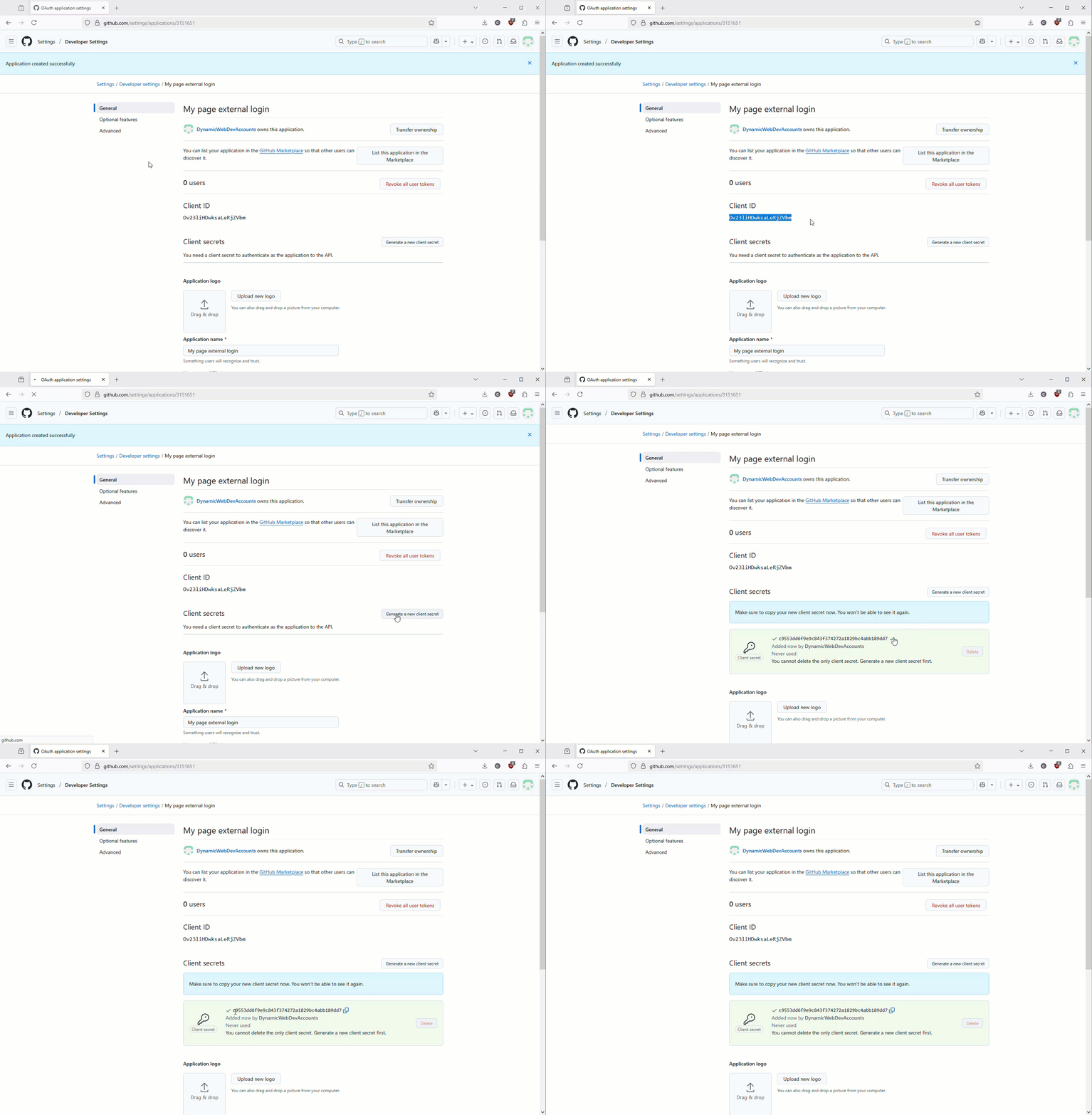
You will need the ClientID, Client secret, and callback URL (well, the part after signin-) when configuring the login provider in DynamicWeb, which is the next order of business.
Configure a login provider in DW
DynamicWeb ships with a number of standard external login providers, amongst those one for GitHub.
To create and configure a login provider for GitHub:
- Log in to the administration interface of the DynamicWeb solution
- Open Settings > Areas > Users > External Authentication
- Click New Provider and fill in the basic settings:
- Name
- Active state
- Provider restrictions (None/Backend only/Frontend only)
- Icon
- Select the GitHub-provider to see the provider-specific configuration fields:
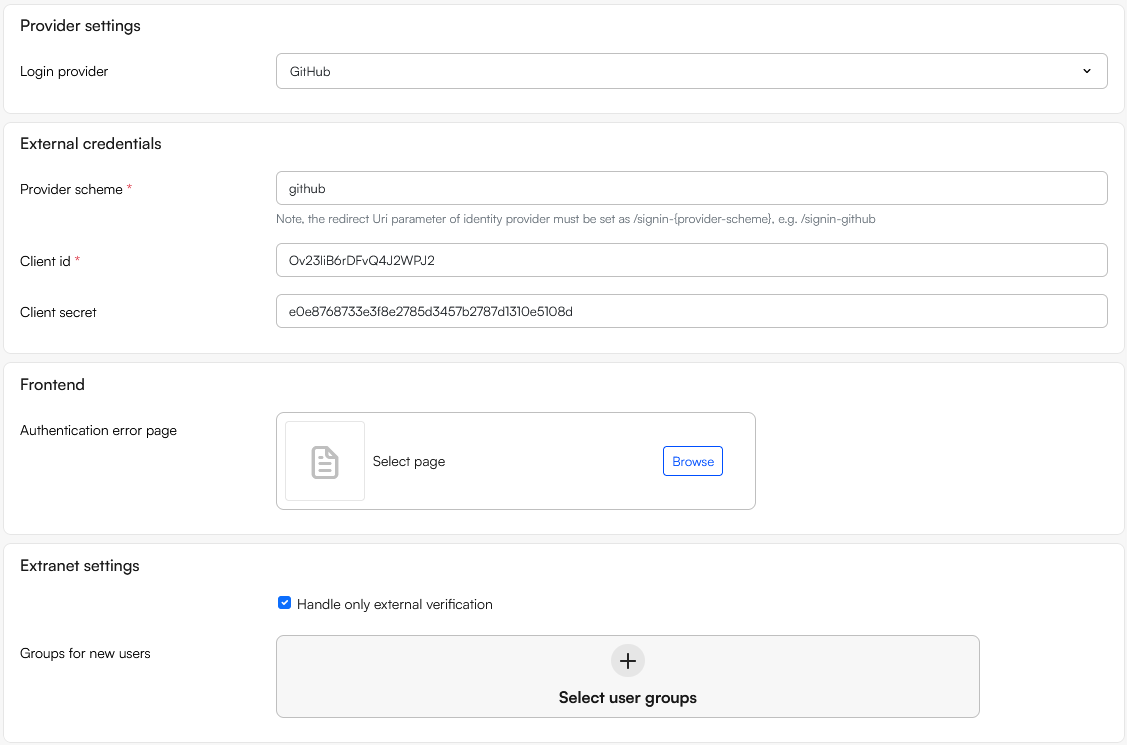
- Supply the three parameters retrieved from github:
- Provider scheme
- Client ID
- Client secret
- Use the Extranet settings to handle unknown users without an account in DW with an email matching the email on the Entra-account:
- If Handle only external authentication is checked login fails
- If Handle only external authentication is not checked, login succeeds and a user is created in the user group(s) selected under Groups for new users. This can be used to control which permissions a newly created user will have
- In the Frontend section select an Authentication error page to redirect users to if login fails
The Provider scheme value is used internally and is part of the OAuth callback URL from the OAuth app, e.g. https://www.yourwebsite.com/signin-github. The default value github is sufficient for most cases, but if you need to setup multiple GitHub login providers you need to supply different callback URLs in the OAuth providers, and will need to change the provider scheme value accordingly on the login provider in DynamicWeb.