When Google Maps credentials are configured on a solution, Dynamicweb can automatically calculate geolocation data based on address information.
The system sends the available address fields (such as street, ZIP code, city, state, and country) to Google Maps and receives geographic coordinates in return. These coordinates are then stored on the entity.
Geolocation can be updated manually from the UI and is never updated automatically without user interaction.
Usage on users and groups
Geolocation is available on both users and user groups.
On user and group edit screens, a Geolocation section is available under Advanced, containing:
- Latitude
- Longitude
- Custom geolocation flag
- Geolocation icon
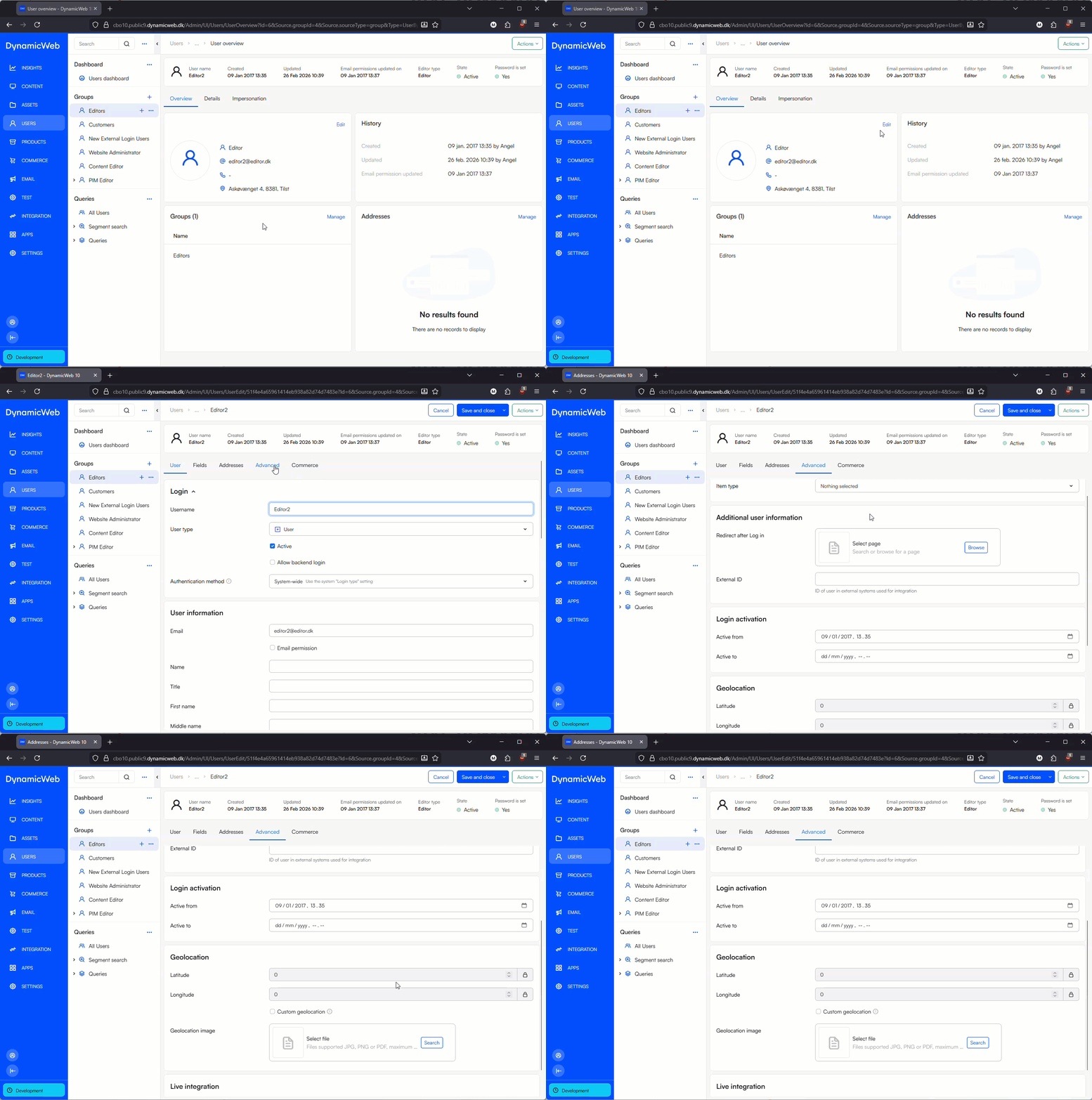
If Custom geolocation is enabled, automatic updates are blocked. This allows you to manually control coordinates for cases where the physical location should not be derived from the address.
When Google Maps credentials are configured, an Update geolocation action becomes available in the toolbar.
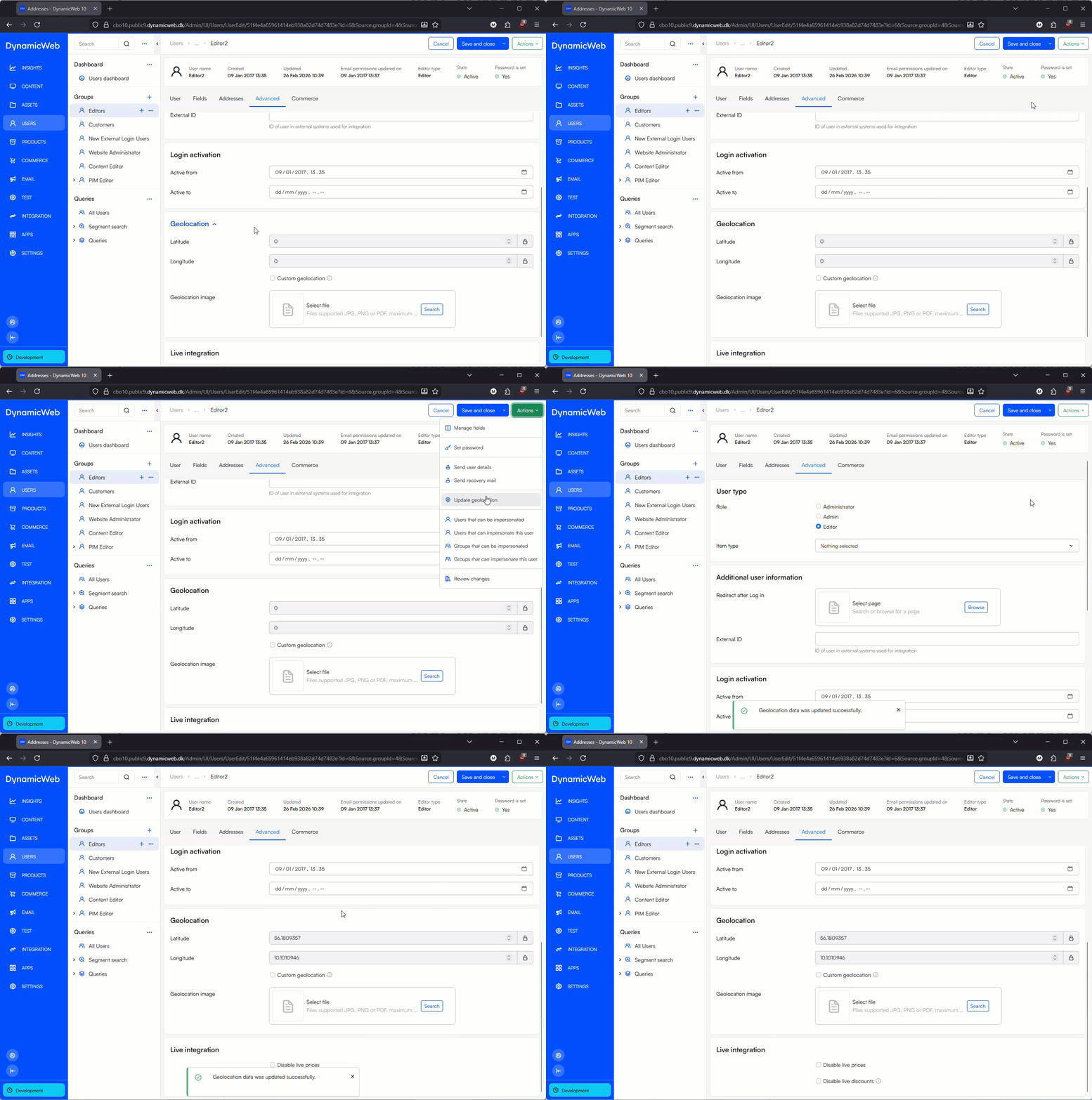 This action:
- Reads the address data on the user or group
- Requests coordinates from Google Maps
- Updates latitude and longitude fields
Geolocation can be used for:
- Mapping users or groups
- Distance-based logic
- Integrations that rely on coordinates rather than textual addresses
- Visual indicators using custom map icons
Usage in item fields
Geolocation data can also be exposed and used through item fields on users and groups.
This makes it possible to:
- Display locations on maps in frontend solutions
- Combine geolocation with other item-based data
- Use coordinates in custom logic, templates, or integrations
Because the coordinates are stored directly on the entity, they are fully searchable, reusable, and integration-friendly.