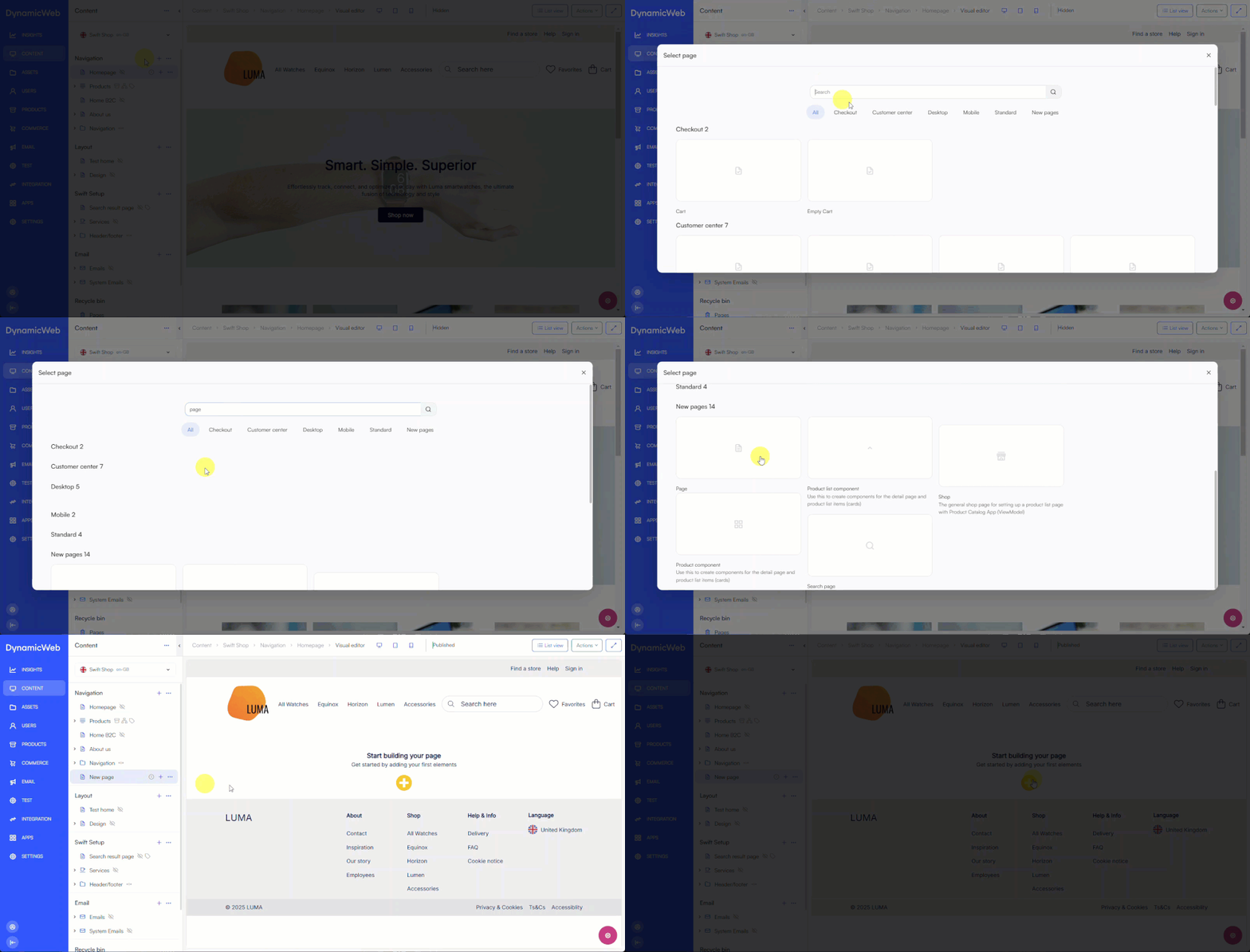
You can create a new page by clicking the +-sign in the content tree, either on a section or on a page/folder to create a subpage. You have different page types to choose from, this has an impact on the overall function and layout of the page. As an editor you will be working mostly with our standard page.
Your new page will now open up in the Visual Editor and already have the correct header and footer assigned to the website:
Edit page
When clicking the pink gear icon in the lower right corner in the Visual Editor a screen will appear with settings for editing the page. For you, the editor, this is where you work with SEO, publication and have the possibility to rename your page:
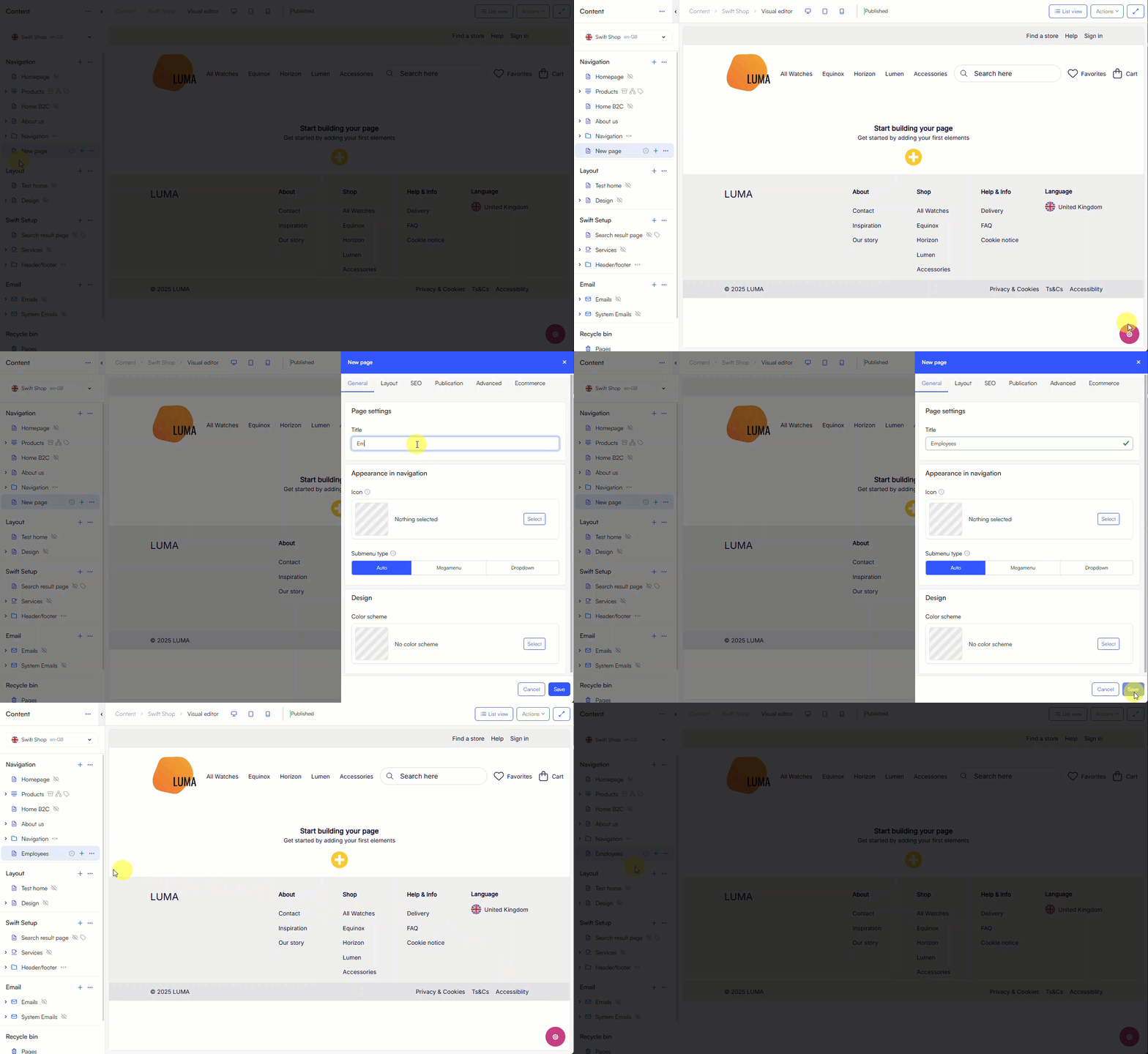
Read more about page settings and how to configure the behaviour of the page here.
Context menu actions
The context menu in the content tree provides different actions for pages. This is e.g. where you can copy, move, or delete a page:
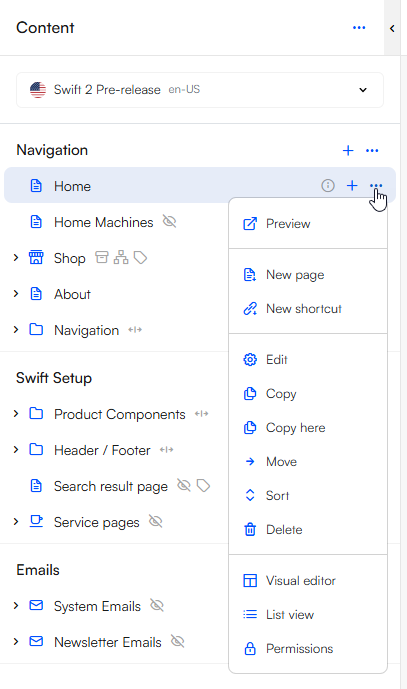
Use the context menu on a folder or a content section e.g. Navigation to sort the pages and folders it includes.