Content search in frontend, the products shown in a product list, and product queries in backend - all of these features are based on the DynamicWeb 10 feature called repositories, our implementation of the Apache Lucene search engine.
You can find and work with repositories under the Settings-area:
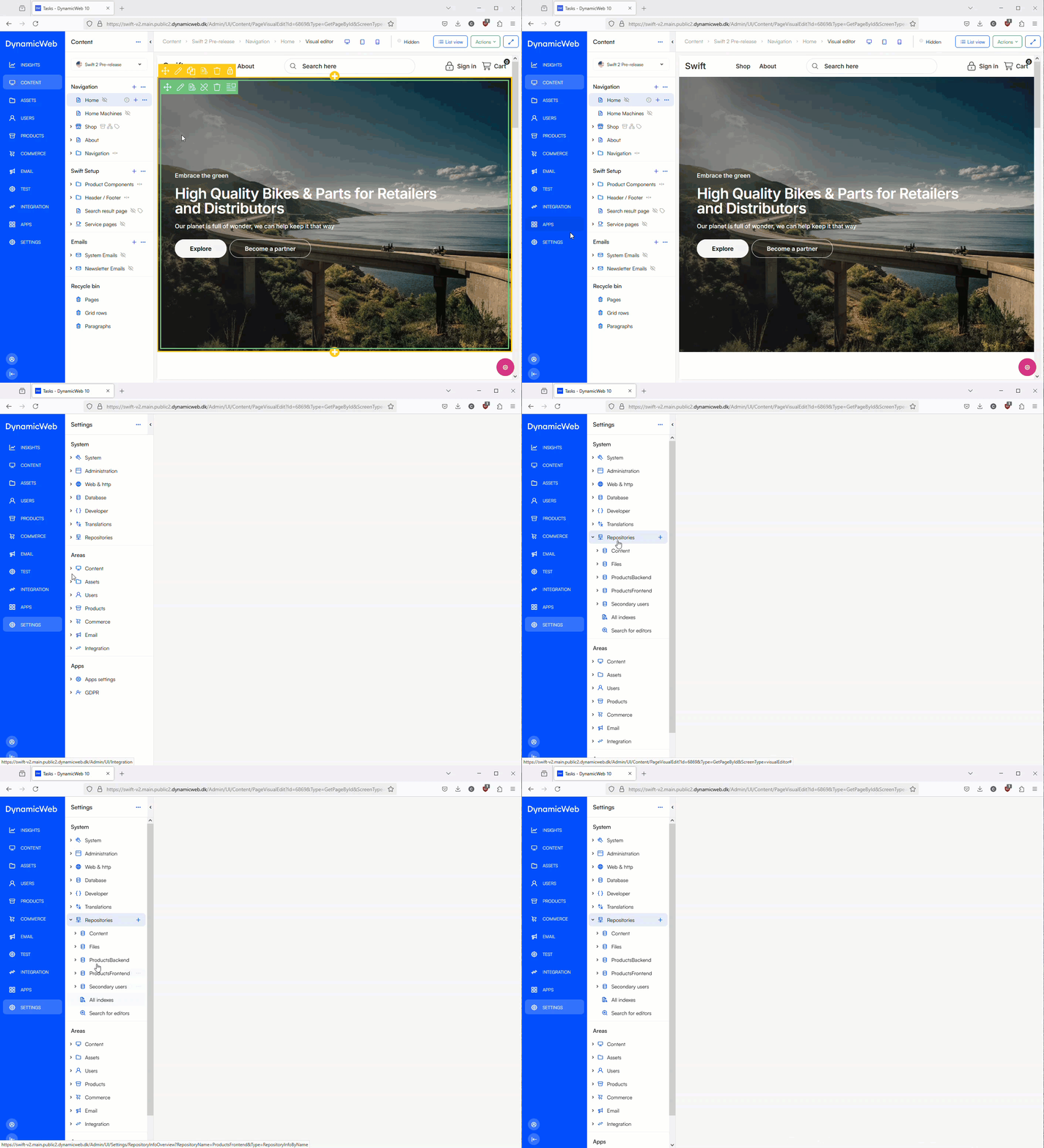
Swift ships with a set of predefined repositories which are used by the backend and frontend implementation:
- Content
- Files
- ProductsBackend
- ProductsFrontend
- Secondary users
Read more about each of these repositories and how they are used on Swift 2 below.
Content
The Content-repository contains an index of all pages on the solution. A query - content search.query - is used to fetch the pages which match the search criteria passed to the query from frontend.
The paragraph type passing search terms to this query is typically the Search Field paragraph type, and search results are shown on the Search results page in the Swift Setup section of content tree.
Files
The Files repository contains an index of all files inside the following Files/DigitalAssets folder.
It is used by the Assets portal - a special website for downloading product assets which is currently not available on Swift 2.
ProductsBackend
The ProductsBackend repository contains an index of all products on a solution.
It is used in the administration interface (the backend) by features such as queries and dynamic workspaces.
ProductsFrontend
The ProductsFrontend repository contains an index of all products on a solution, but is configured in a way which is appropriate for publishing products to frontend.
A query - Products.query - is used by various swift-components (employing the Product Catalog for ViewModels-app) to publish products to frontend. This query features some product-portfolio-specific facets which need to be configured to match the product catalog on the solution.
Secondary users
The Secondary users repository contains an index of all users on the solution. It is used with the following features:
- The Customer impersonation feature - a Customer Center feature which allows some users to act on behalf of other users.
- The Manage users feature - a Customer Center feature which allows account managers based on their customer number and permissions to invite users from inside their organization. The setup is based on the query publisher app which then points to the manage users query.